7 Buzzer based microcontroller projects for beginners
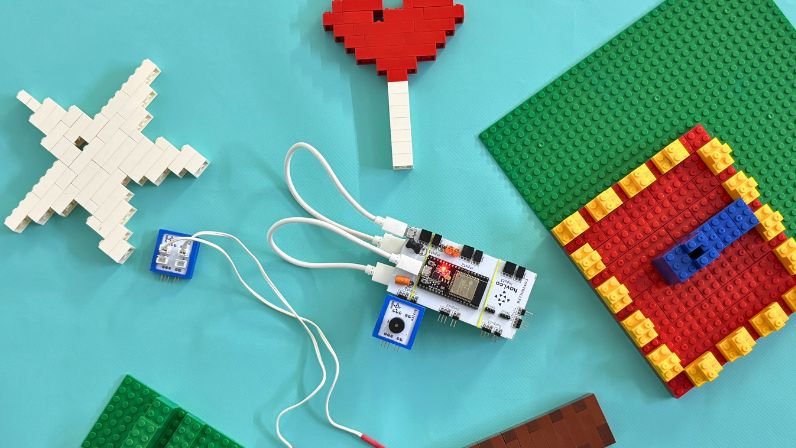
Imagine this: You’ve been studying for hours and want to take a quick nap. Instead of setting an alarm on your phone, you write a few lines of code, upload it to your Havi Controller, connect a buzzer, set the time in the program—and sleep peacefully.
At the exact moment you set, the buzzer beeps and wakes you up. That’s the power of microcontrollers!
If you’re new to microcontrollers, be sure to read our detailed guide: Microcontrollers Made Simple
In this post, we’ll create 7 easy buzzer-based microcontroller projects using the Havi Advanced Kit add-on and Buzzer Element, all coded using Python. We will use LED Element, LED Cables & Havi Bricks for making the projects visually appealing.
You can get Buzzer Element, LED Element & LED Cables from Havi Robotics Kit or you can purchase them separately from Elements Add-on & accessories.
Things you need:
Buzzer Element
Havi Controller
Power bank + USB cable
Microcontroller data cable
Laptop or desktop (to upload programs)
LED Element
LED Cables
Havi Bricks
Common circuit to make Buzzer-based microcontroller projects
1. Snap Buzzer Element with the Output1 slot of Havi Controller.
2. Once you load the program, connect 2 power banks with the controller.
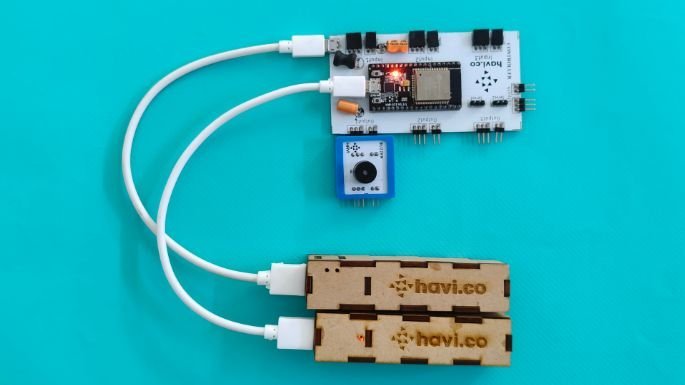
3. Tie the Havi controller and power banks using the rubber bands.

Common practice to execute the buzzer microcontroller projects
1. Keep the circuit ready.
2. Connect the Havi controller using data cable to your laptop/computer.
2. Open the editor Havi micopy. At the right side, you can find four icons. Click on the third icon – Connect USB/Serial. Your controller will be connected.
4. Paste the program code in main.py file
You can download the code for each buzzer projects at the end of this blog.
1. Automatic Buzzer ON-OFF using Havi Controller
Let’s begin with the simplest program—turning a buzzer ON and OFF.
What this project does?
The buzzer turns ON for 1 second and then turns OFF. The process will be repeated. We have added LED to show the visible output. For that, connect LED cable/s with LED Element and snap the LED Element to the Output2 port of the Havi Controller.
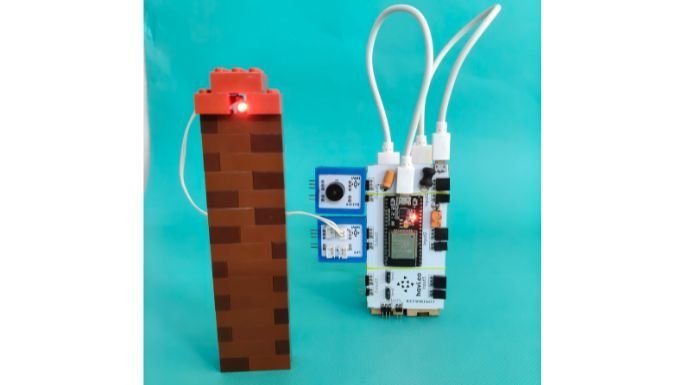
As mentioned, you can download the code at the end of this blog.
2. Buzzer ON-OFF in a loop
This is the extended version of the first program.
What this project does?
The buzzer creates 3 short beeps repeatedly, with a delay of 2 seconds between each set—perfect for making simple reminders or alert systems.
Use case: It can be used as a basic timer or interval alert.
3. DIY Alarm clock
Now let’s build the project we mentioned at the beginning—a simple alarm clock using just a controller and buzzer.
What this project does:
You set a specific time in the code. When the clock reaches that time, the buzzer automatically starts ringing. Here the controller uses the connected laptop’s time, so we need to keep the controller connected with the laptop to access the real time.

You can download the python code at the end of this blog.
4. Countdown timer
Just like countdowns in games, let’s make a five-seconds timer by using Havi Controller & Buzzer Element.
What this project does:
We have set timer for 5 seconds. This timer starts with slow beeps that get faster over a duration of 5 seconds. At the end, it finishes with a long beep, indicating “Time’s up!”. You can tweak the python code a little and make 10 seconds countdown timer as well.

Check out the video to compare it with other timers.
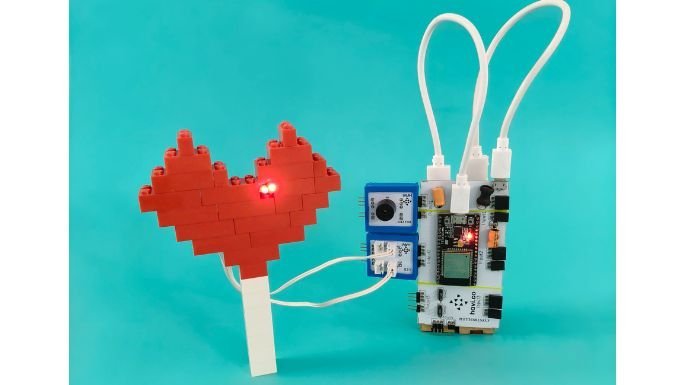
5. Heartbeat simulator using Buzzer
Earlier, we built a heartbeat simulator using multiple elements from the Havi Robotics Kit.
But now, using just a Havi Controller + Buzzer, we can simulate a heartbeat using only few lines of code! Add LEDs and Havi Bricks to make it visually appealing.
What this project does?
In this project, buzzer simulates the rhythm of heartbeats. Buzzer beeps twice and pauses and repeat the pattern.
6. Playing “Twinkle twinkle little star” tune
In this project, we use the same buzzer and controller setup to play the popular nursery rhyme “Twinkle Twinkle Little Star.”
Instead of simple ON–OFF beeps, the buzzer is controlled using different frequencies and durations, allowing it to generate musical notes.
An LED is also connected to blink along with the tune, making the project more interactive and fun for beginners.

This project introduces learners to PWM-based sound generation, musical note frequencies, and how lists can be used to store melodies in a microcontroller program.
Note: We are using an active buzzer in this project, so the tune may sound slightly rough compared to real musical output. For that, we need to use a passive buzzer.
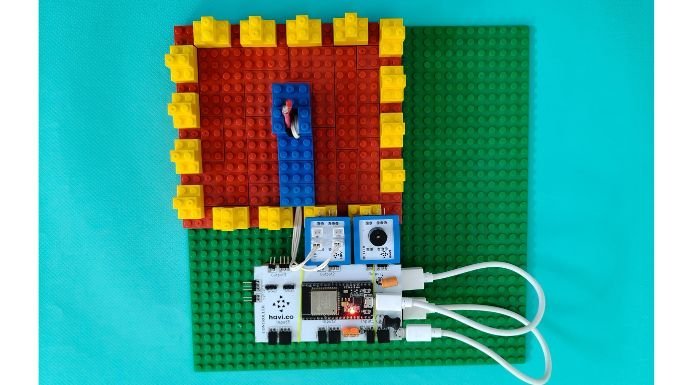
7. Playing “Happy birthday” tune
Tweaking the previous projects’ notes and now we are playing “Happy birthday” musical notes.
Download the python code for all these seven buzzer microcontroller projects by clicking the following button.
These 7 projects are just the beginning. With the Havi Controller and buzzer, you can build countless creations—door alerts, step counters, study reminders, game buzzers, and more.
Want a challenge?
Try adding an IR Sensor to detect motion and trigger the buzzer automatically. What kind of projects can you imagine now?